Order-book intelligence
The only order book that shows its own history
OEM portals publish today's state and nothing more: no deltas, no change log. Kwartz OWL snapshots every download, derives what changed, and keeps every version of every line as timestamped evidence. Detect date and quantity moves the morning they land, across all customers, from one record.
| Line | Field | Previous | Current | Change note |
|---|---|---|---|---|
| PN-4021-A | otd_date | 2026-03-14 | 2026-08-21 | No note |
| PN-1180-C | otd_date | 2026-04-02 | 2026-08-13 | No note |
| PN-3355-B | open_qty | 120 | 40 | Annotated |
| PN-9004-D | — | on book | closed | Shipped |
What's in the platform
Twenty-two modules, all of them live — including an AI analyst. Most replace a spreadsheet someone maintains by hand today.
Morning brief
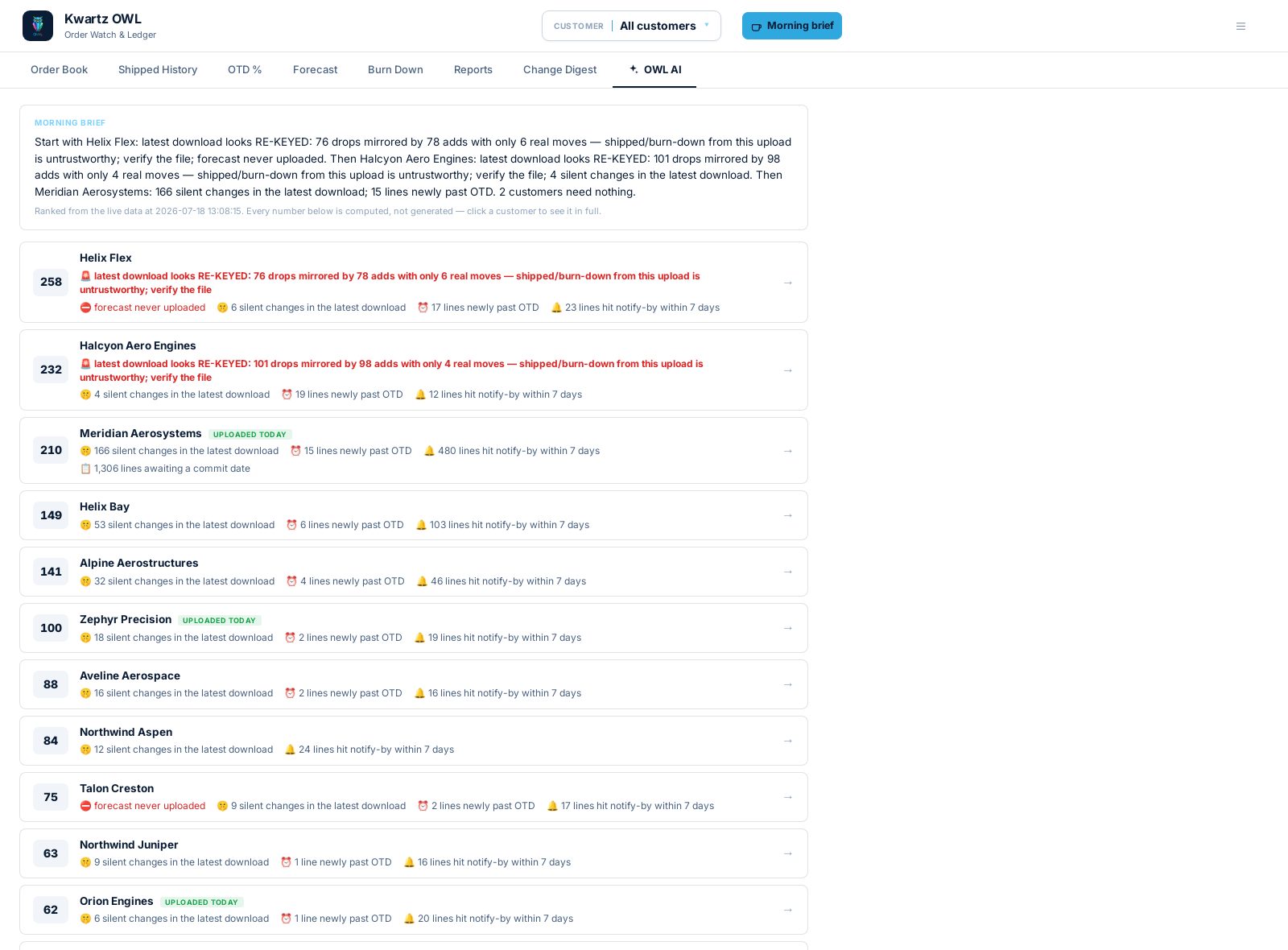
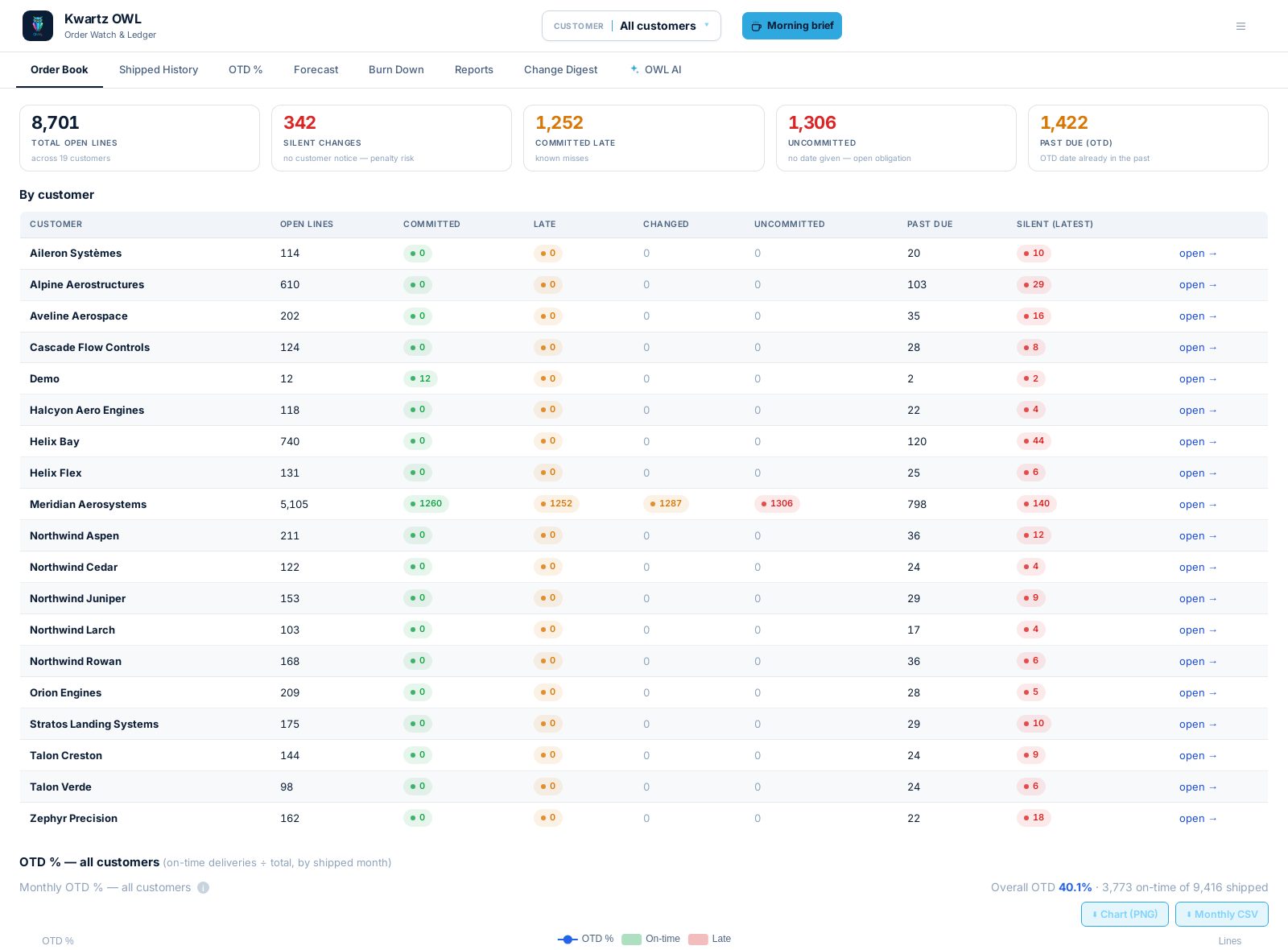
One click each morning: every customer ranked by who needs attention — silent changes, fresh overdue, stale feeds, open findings — with the reason on every row. No more opening twenty tabs to find the problem.
Investigation agent
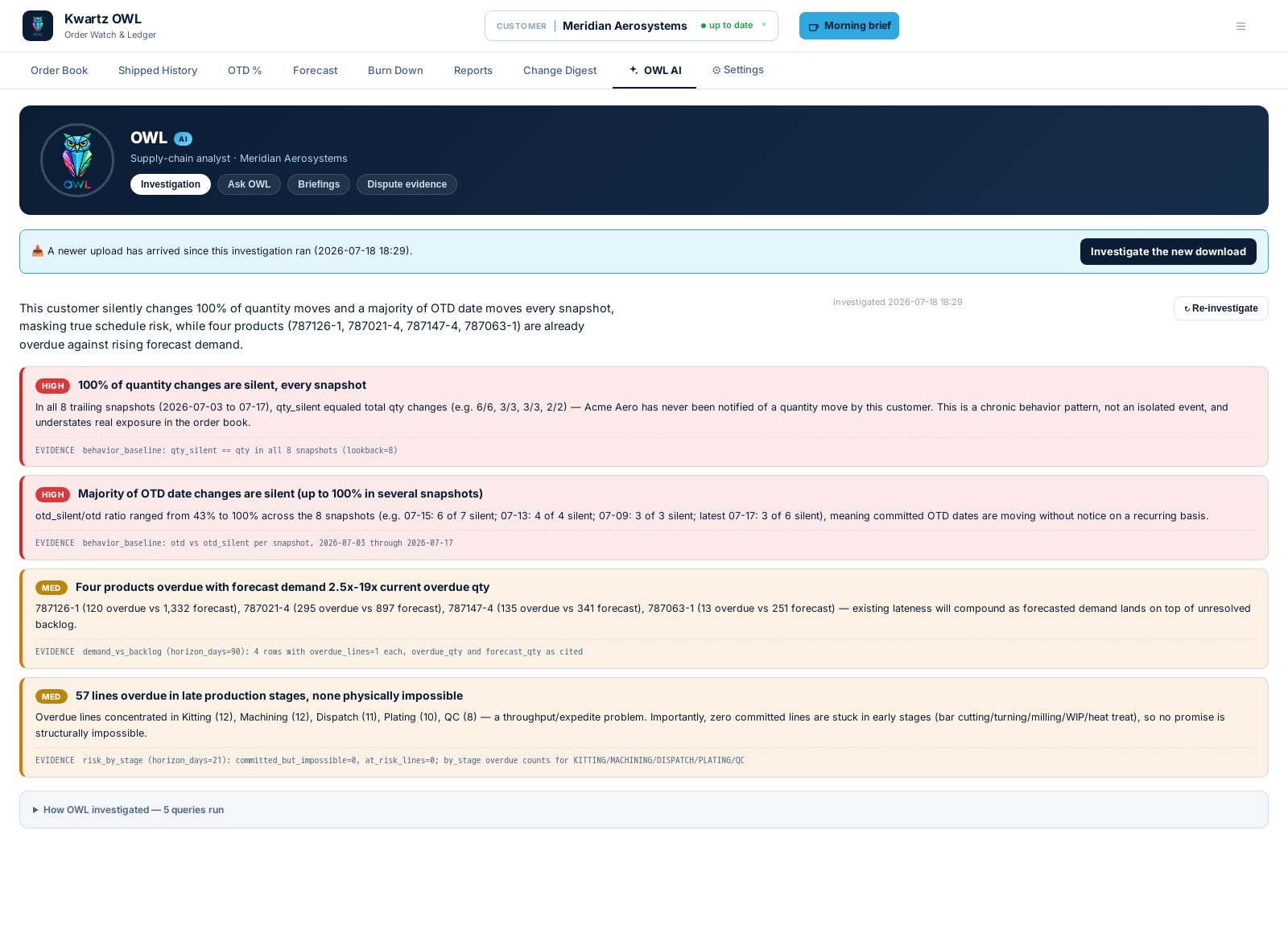
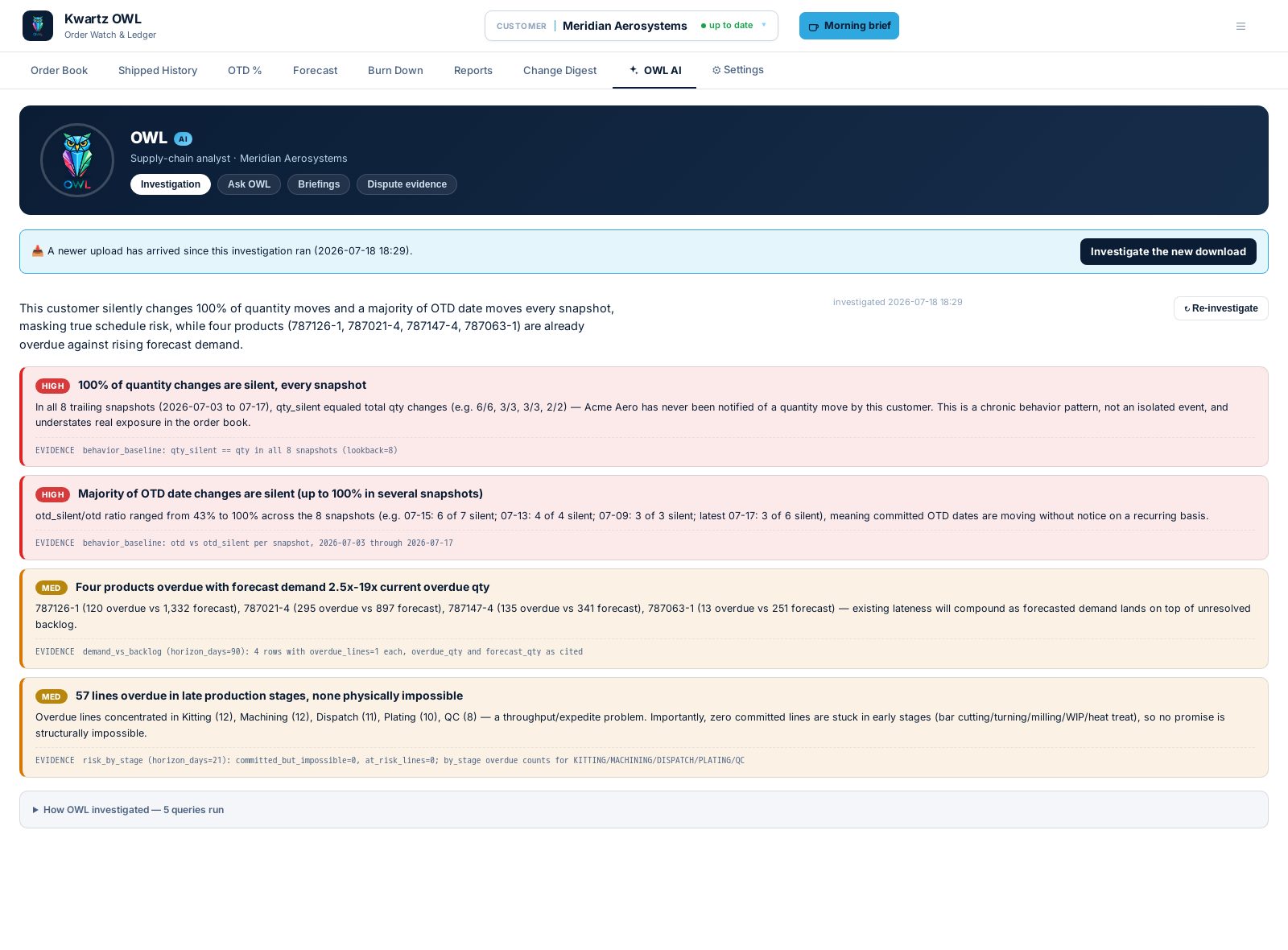
An AI analyst that plans its own queries across order book, production stages, forecast and change history — then reports ranked findings with the evidence trail. It may cite only numbers a query returned, never one it computed.
Ask OWL
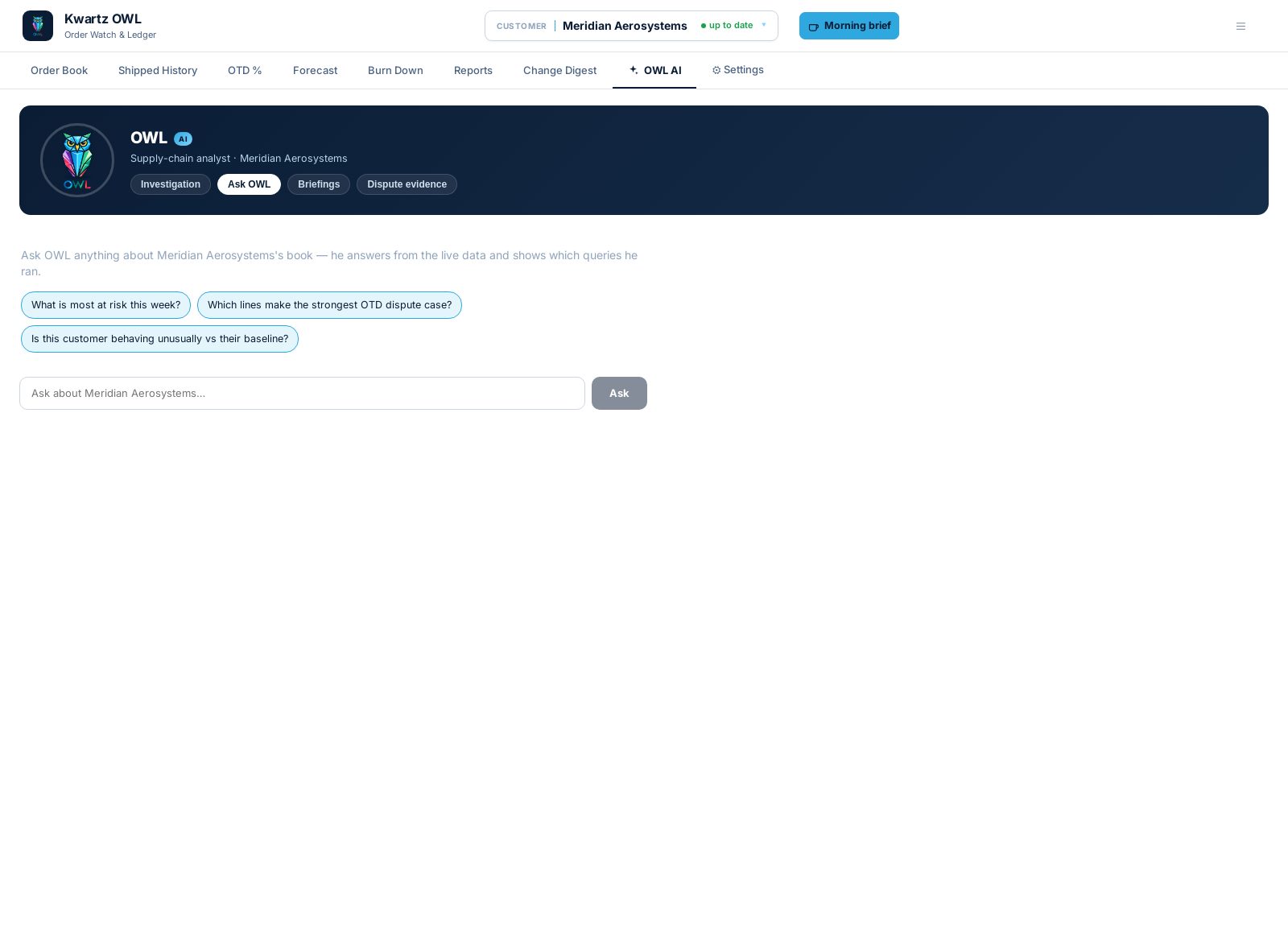
Ask in plain language — "what's most at risk this week?" — and get an answer grounded in the same governed queries, with the checked sources footnoted. Conversations persist per customer.
Data-integrity alarms
The same layer watches the ingest itself: a re-keyed export that would silently corrupt shipped numbers is flagged the morning it happens, before anyone trusts the report built on it.
Tunable & governed
Every prompt is visible; focus guidance is editable portal-wide and per customer; each investigation query can be switched on or off. The open-ended SQL tool runs as a read-only database user and ships off by default.
Order Book
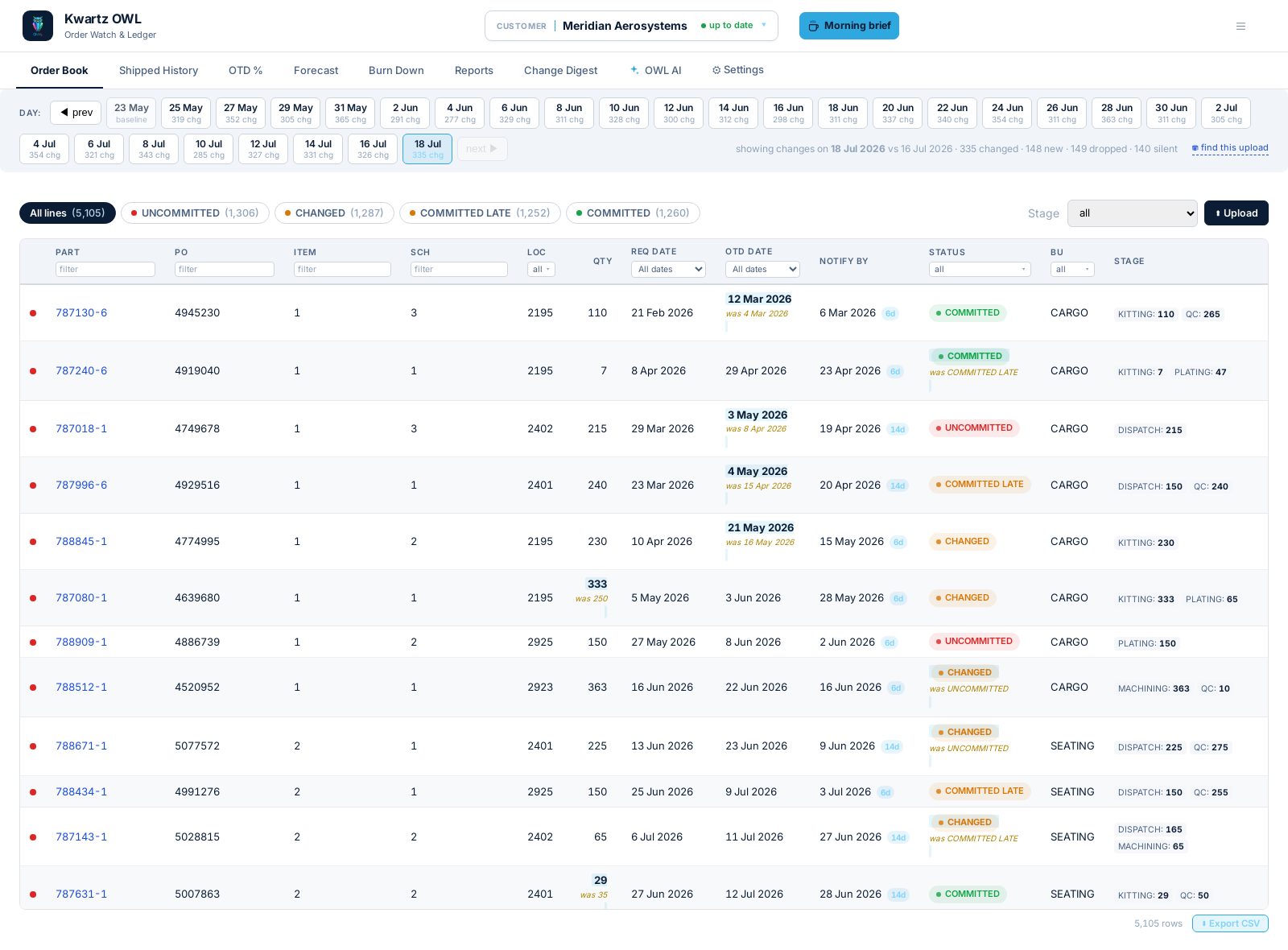
Read the live book as of any day, with changed fields highlighted in place and the previous value beneath. Customer-portal and ERP columns on one row.
Daily snapshots
Retain every download as an immutable, timestamped snapshot. Reconstruct the book exactly as it stood on any past day, down to the source row.
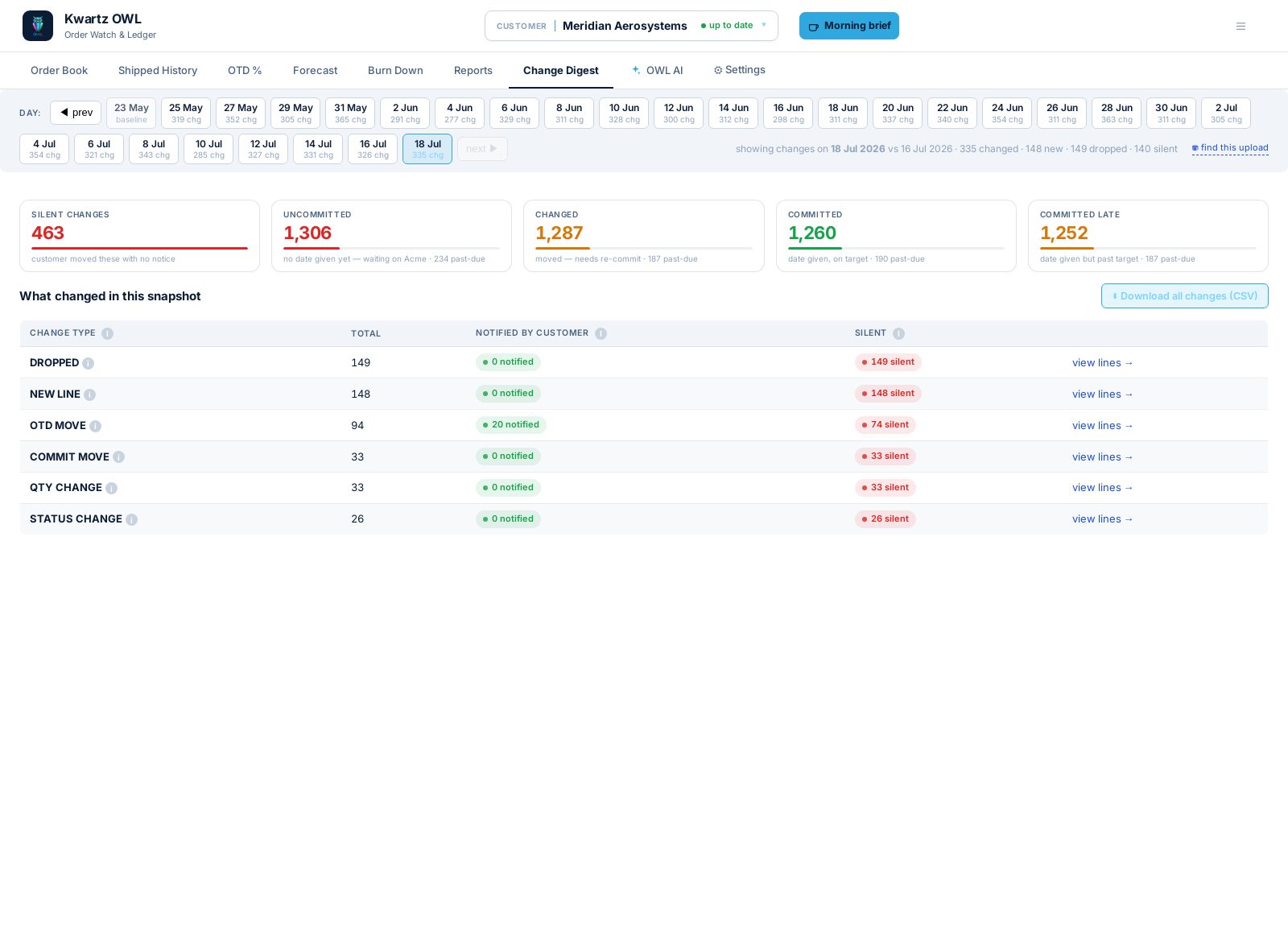
Change Digest
Surface what moved in today's download, grouped by change type and carrying the portal's own note. Drill into any group for the exact lines.
Line history
Open any line for its full version trail: every date, quantity and status change, timestamped as recorded. OTD-dispute evidence, on demand.
OTD %
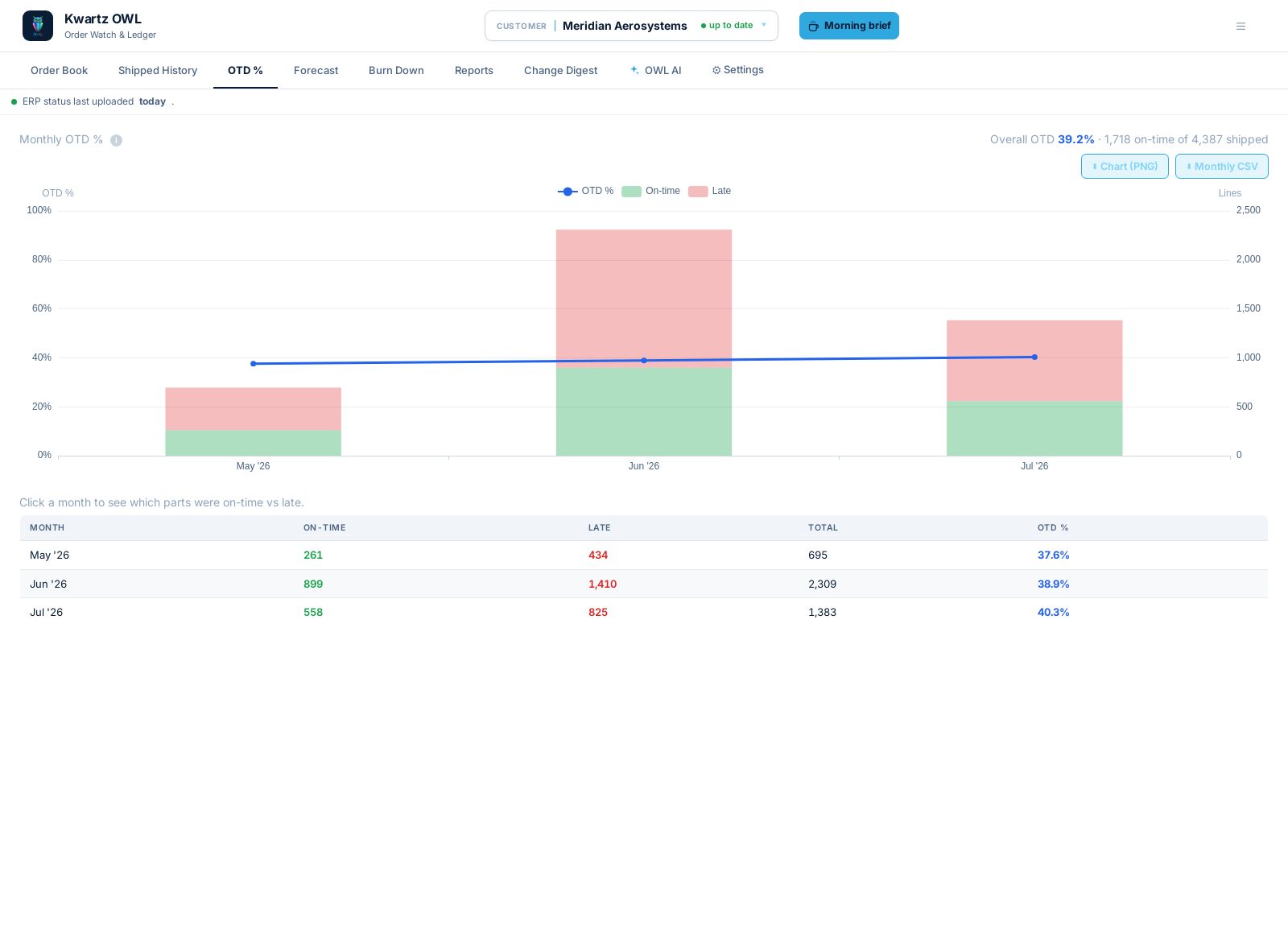
Measure on-time against late by month on your lead-time rule. Click a month for the parts behind it.
Shipped History
Keep every completed line searchable, filterable by OTD status. Replaces the manual delivery workbook, across all customers.
Burn Down
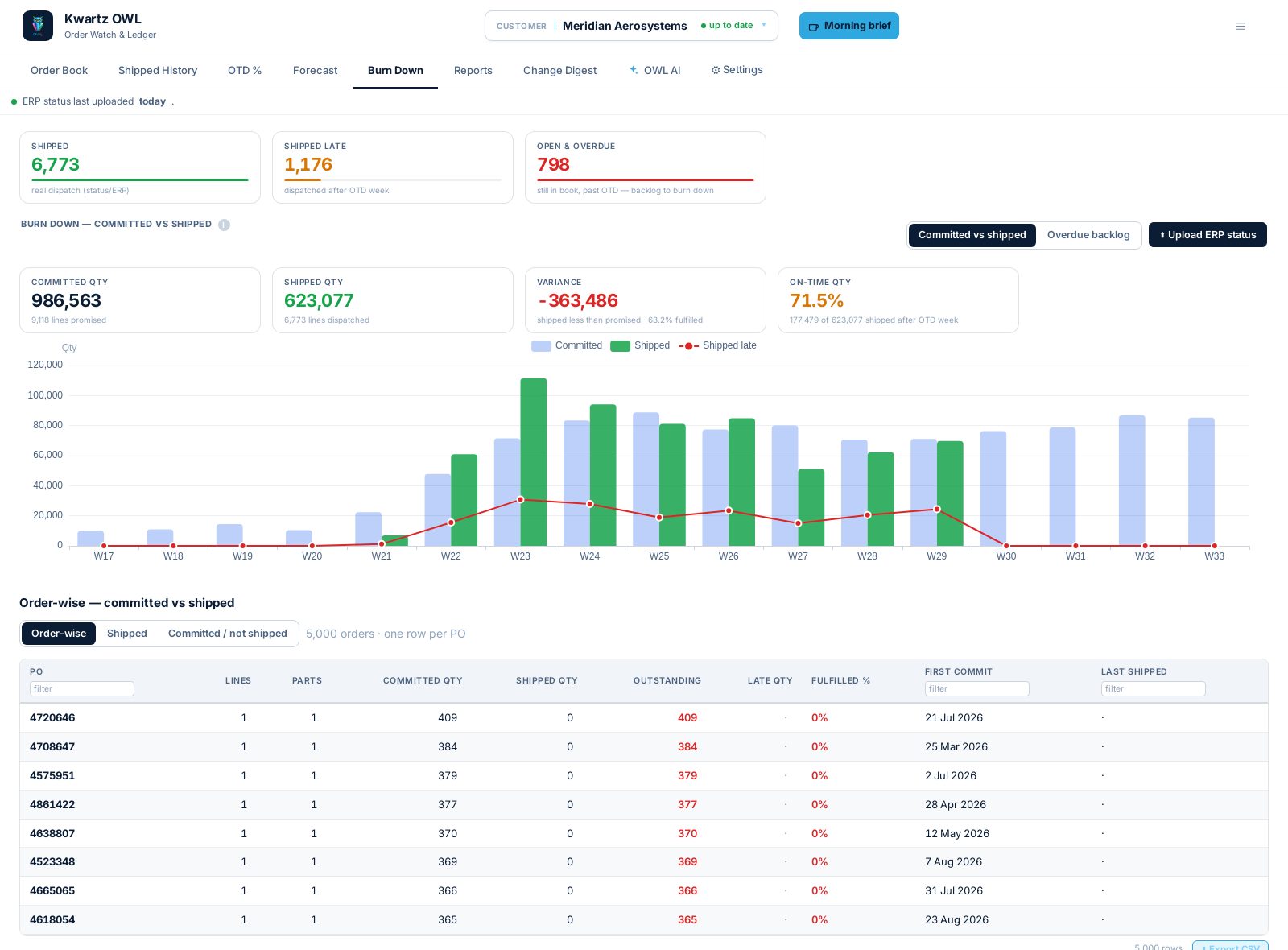
Track overdue backlog week by week against a pace-to-zero line, on real dispatch dates. Switch to committed-but-not-shipped for what's at risk.
Reports
The three lists a planner works from each morning. Filterable, exportable to Excel.
Firm vs Planned
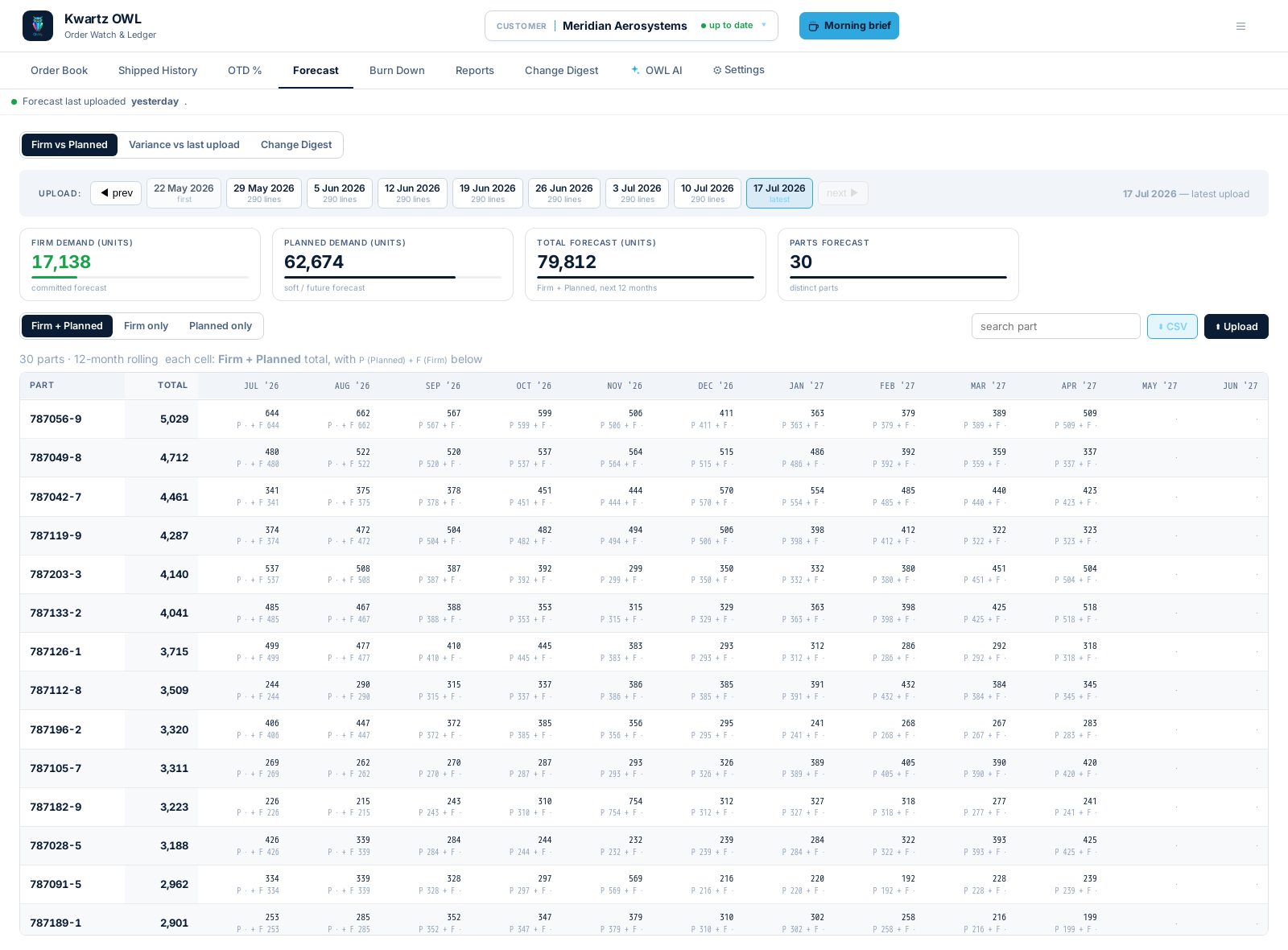
Split forward demand per part × month into firm and planned, charted twelve months out. Committed demand, separated from speculative.
Forecast Variance
See what the customer moved between uploads, per part and month — against the last upload or any prior baseline.
Forecast history
Snapshot forecasts like the order book: every upload kept, a digest per upload, and the full history behind any part.
Consolidated view
Run every report across the whole portfolio at once, with a filterable customer column. One table, not one tab per customer.
AI daily briefing
A written read of the day per customer: what moved, what's due, what to chase. Every figure drawn from the data.
Self-serve upload
Drop the day's file into the browser. It ingests, diffs against the previous day, and appears immediately.
Upload audit & purge
Log every upload with its original file, failures included. Purge a wrong upload with a reason; history rebuilds from source.
Data Health
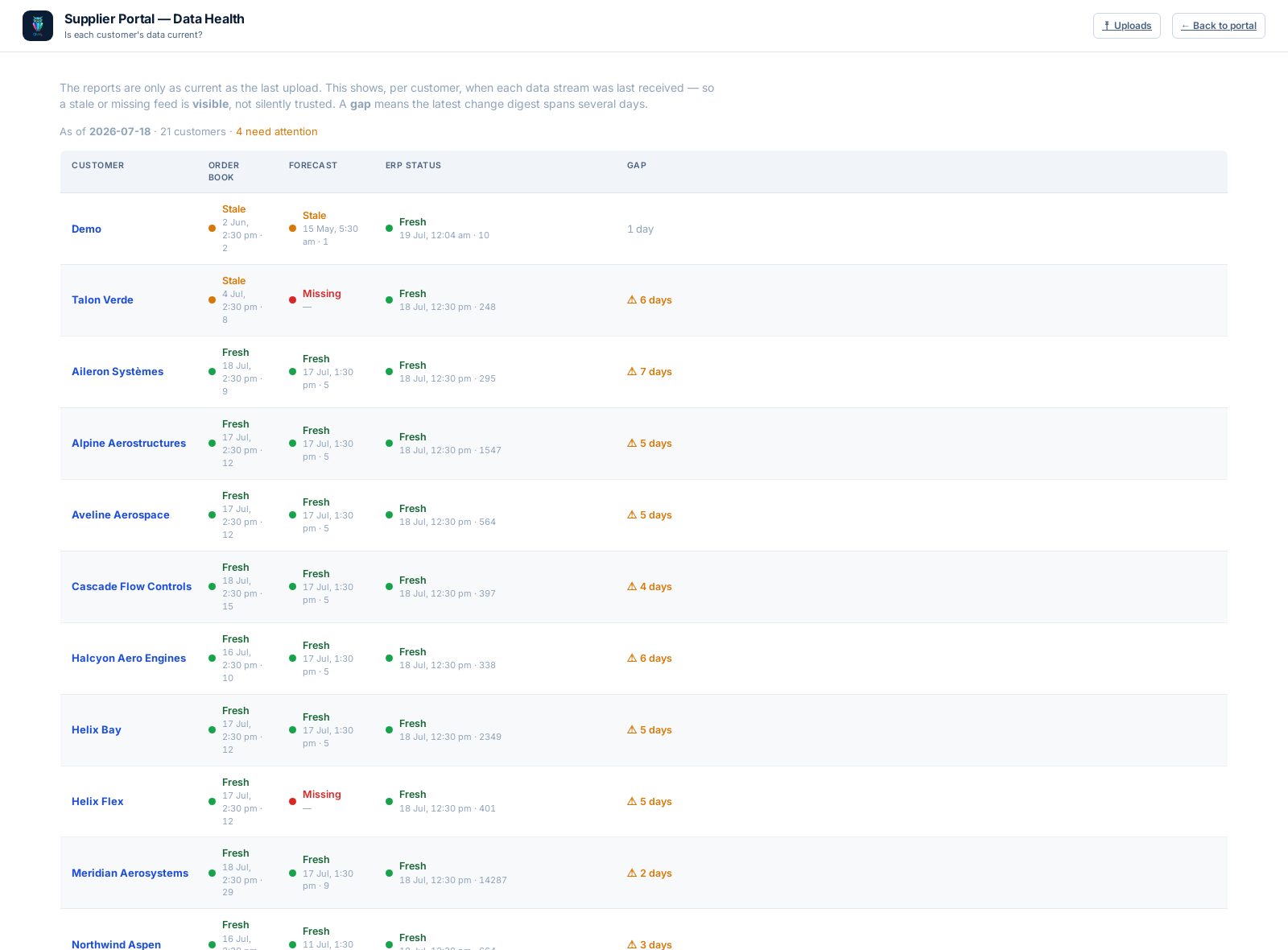
Show when each stream last arrived, per customer. A stale feed surfaces before anyone acts on the report built from it.
Tracked issues
What's requested, in progress and shipped — raised and tracked in the product.
Three streams, one line
Three systems describe one schedule line: what the customer wants, what they expect to want, and what actually shipped. The platform lands all three on one key.
Customer order book
The daily download from each OEM portal — always the full book. What they want, when, and what moved overnight.
Customer forecast
Forward demand per part and month, firm and planned. Snapshotted on arrival, so any two uploads can be compared.
Your ERP / status
Production stage, commit dates and the real dispatch date, joined onto the customer's demand.
The key is
product · location · order · item · schedule-line, tracked at
schedule-line grain. One PO carries a dozen lines with their own dates.
Track the PO instead and a line that slipped five months averages into a PO that looks fine.
Why it matters
Schedules move for good reasons on both sides. The cost lands afterwards, in the week spent establishing whose version of the schedule is right.
One version of what happened
Both sides open the same timestamped trail of how a line reached its current date. The facts are settled before the review starts.
See the movement the day it lands
A change buried in a thousand-row download surfaces the morning it lands, ranked by urgency. Months of warning on a date that slipped.
Trace any number to its source
Every figure traces to the file, snapshot and row behind it. Challenge a number and the source download is one click away.
Answer with the current picture
Status questions get answered off live data, in the time it takes to filter a column. No workbook rebuild first.
Retire the manual workbook
The colour-coded spreadsheet one person maintains becomes a live, auditable system covering every customer — and it stays when they leave.
Plan from the same forecast
Forecast movement is visible per part and month against any baseline. A 40% April cut is a thing both sides can see on screen.
Built to hold up as evidence
No portal sends history. It gets constructed from daily downloads, kept for years, and stays fast enough to answer a dispute on the spot.
Retain every download as an immutable, timestamped snapshot — raw rows as received, beside the derived history. Nothing is overwritten, so any past day reconstructs exactly.
Keep every version of every line with the exact window it was true for. Recover a line's full trail, or the whole book as of any date.
Load-tested to 9.5 million rows — 60 customers × 250 days. Pages open in 37 milliseconds at that volume, and stay flat as history accumulates.
Log every upload with its original file, outcome and row count — failures included. Trace any figure on screen back to its snapshot and source row.
Purge a mistaken upload and rebuild the remaining history from source, exactly as if it never landed. The audit record and original file survive.
129 automated checks cover change detection, every customer format and every export — run against real customer files, not fixtures.
Every customer sends a different file. No two portals export the same shape — banners above the data, two sites in one sheet, columns in any order. Each format is described once as configuration, so onboarding a customer is set-up, not development.
Built to survive change. Portals rename sheets, move columns and switch date formats without warning. The platform finds data by what it contains, not where it sits, and absorbs the drift. An unreadable file is rejected with a specific reason, and kept.
| Data retention | Every snapshot kept — raw, plus derived history and audit trail |
| Accepted files | CSV · XLSX · XLSM · XLSB · XLS · TXT — detected per file |
| Interface | Browser-based — filterable grids, charts, CSV / Excel export |
| Access | Self-serve upload, audit and purge |
| Hosting | Cloud or on-premise, self-contained |
| Timezone | Pinned, so a day boundary never flips a status |
| Onboarding | Configuration, not a rebuild — typically days |